
Last updated: 02/04/2024
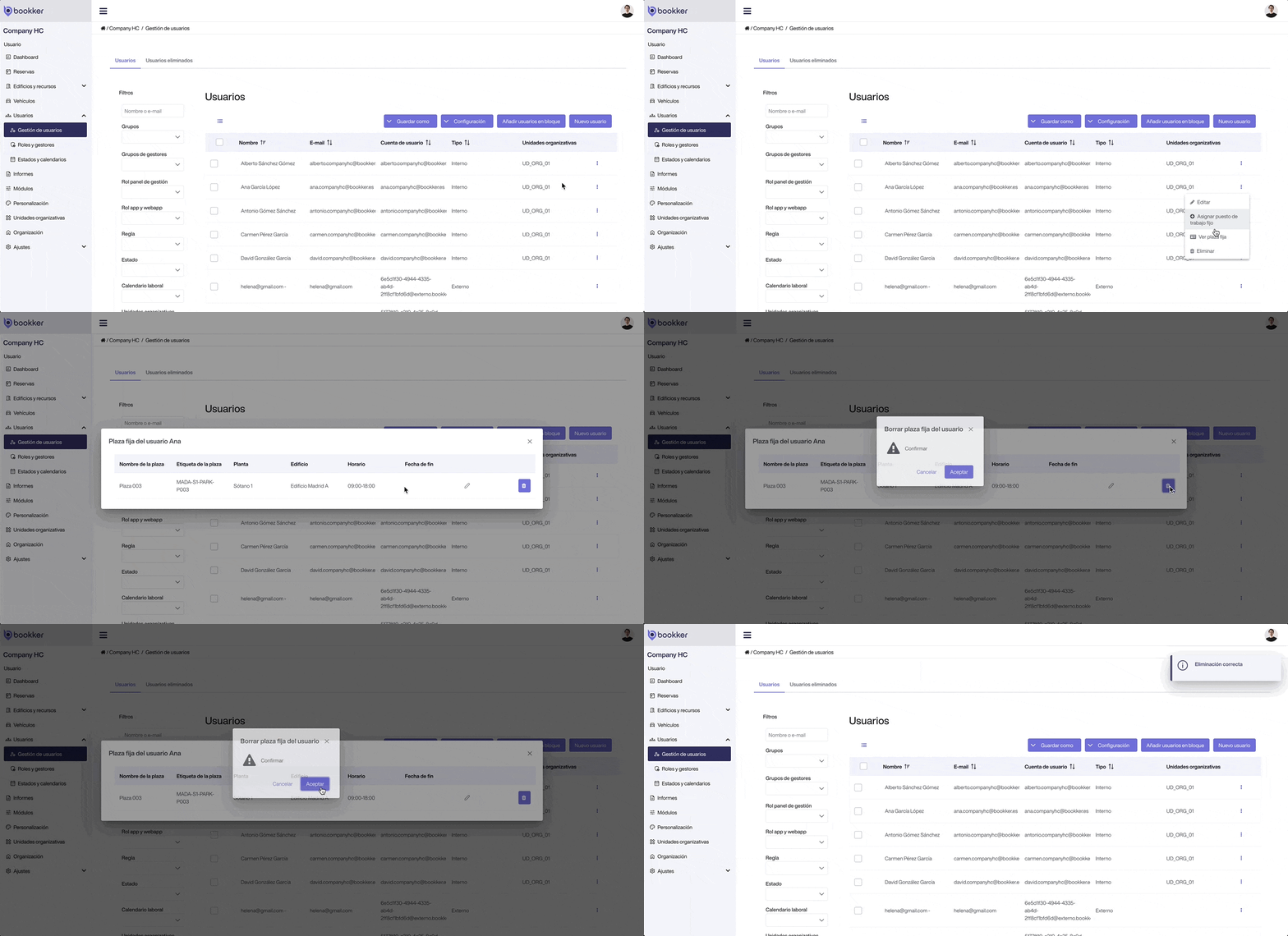
Remove or cancel a fixed resource for a user.
- Access Users > User Management from the side menu.
- Locate the user for whom you want to cancel a desk or a fixed parking space.
- Click on the dots icon to display its options and select “View permanent desk” o “View fixed parking space”.
- From the assignment details, click on the “Delete” icon.
💡 Selecting several users from the list and displaying the option. “Selection” option you can remove fixed resources to several users at the same time.
Have you found your answers?
Thank you for your feedback! We are happy to help you.
Thank you for your feedback! Your feedback helps us to improve our articles.
Need more help? Contact us!