
Last updated: 22/08/2024
How to edit my preferences.
ℹ️ Preferences determine the default information that will be filled in the reservation creation forms.
Enter the criteria you use the most to speed up your reservations.
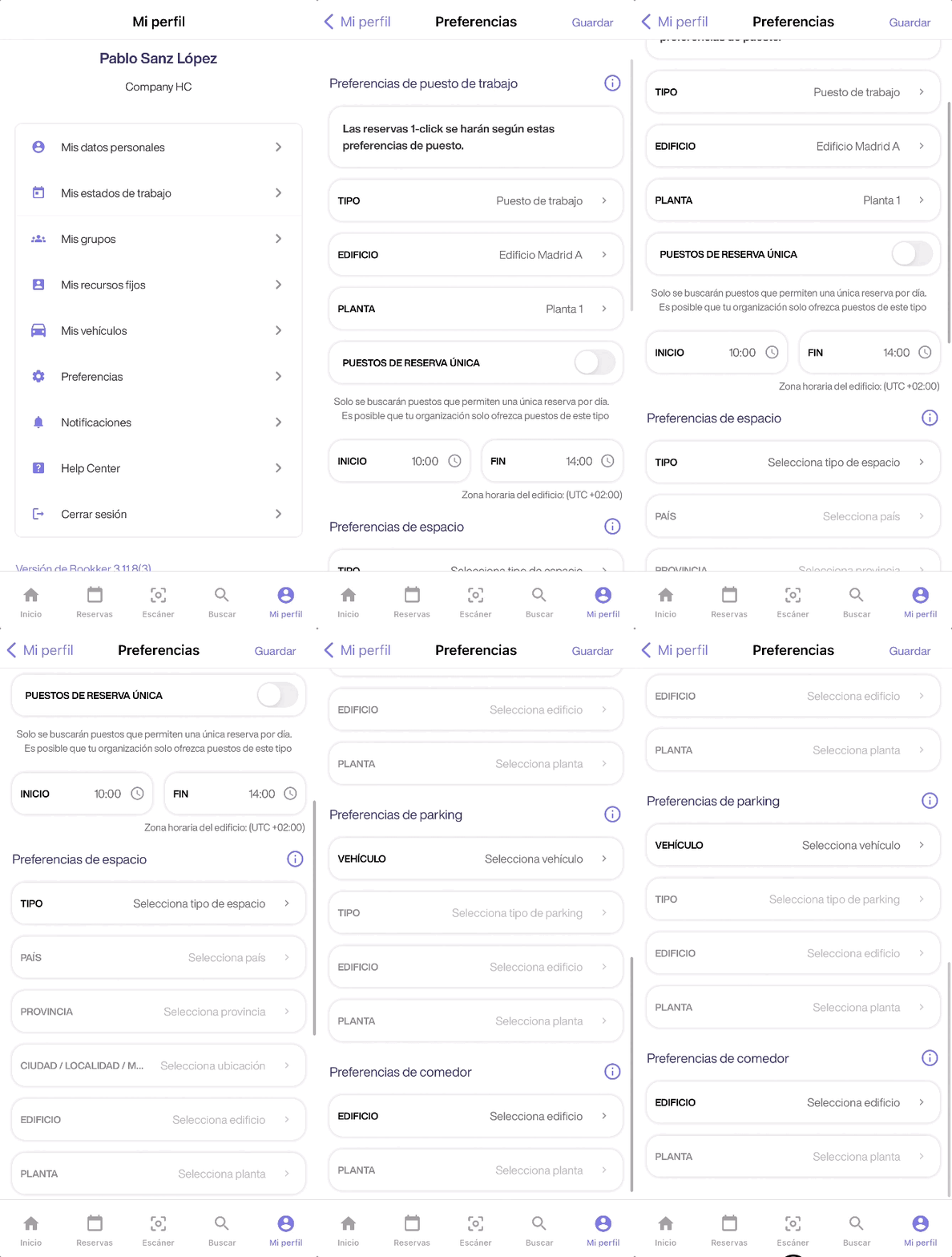
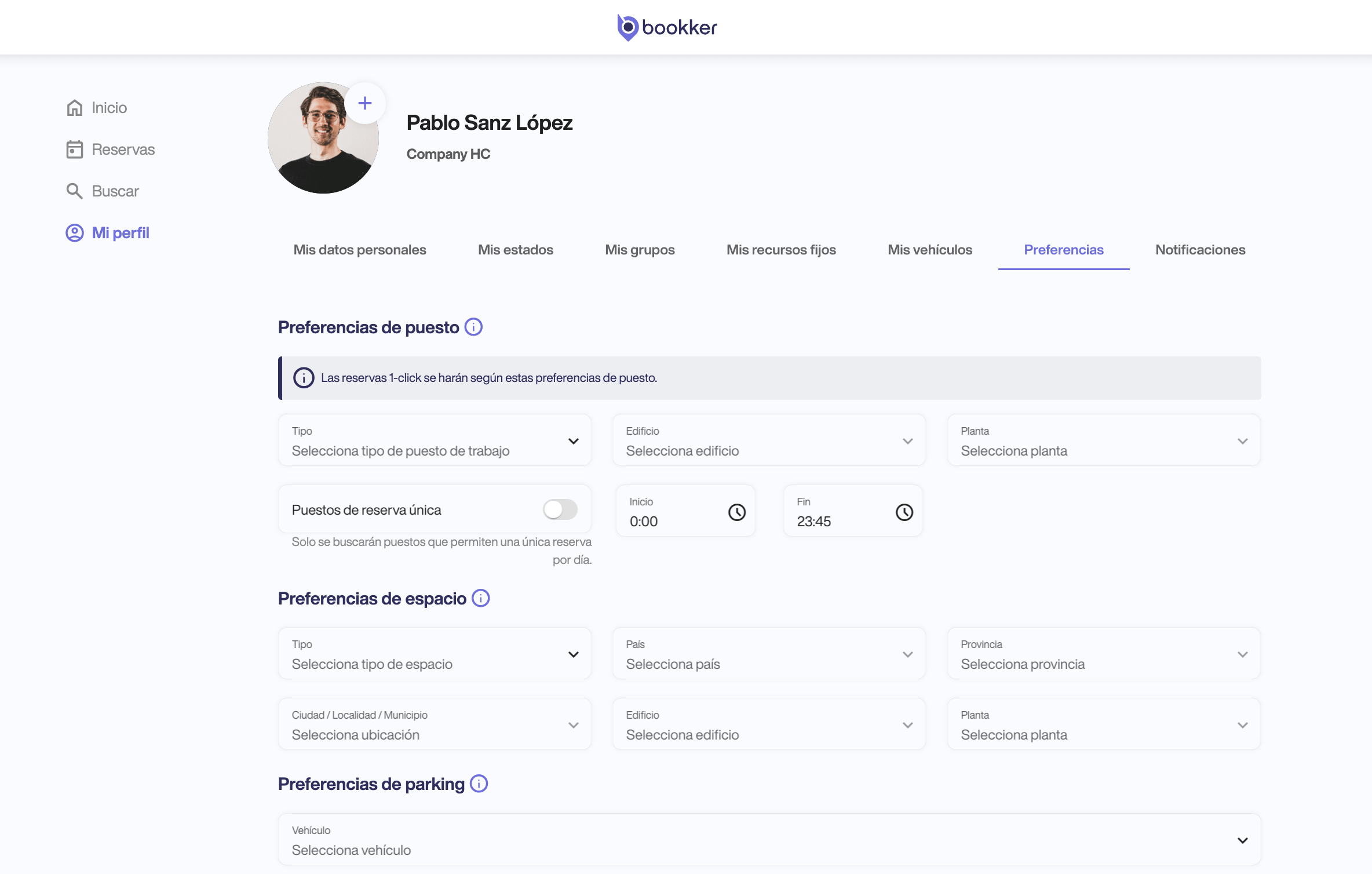
- Access My Profile > Preferences from the app user profile.
- Select and fill in the necessary fields to set your preferences for each of the categories:
-
- Job preferences
- Space preferences
- Parking preferences
- Dining room preferences
-
- You can also configure your privacy preferences here .
- Finally, click on “Save” to confirm the changes made.
☝🏽 The 1-click Reservation option available from the home shortcuts will create an immediate seat reservation according to the preferences configured here.
In this article
Register an incident
Have you found your answers?
Thank you for your feedback! We are happy to help you.
Thank you for your feedback! Your feedback helps us to improve our articles.
Need more help? Contact us!