
Last updated: 02/04/2024
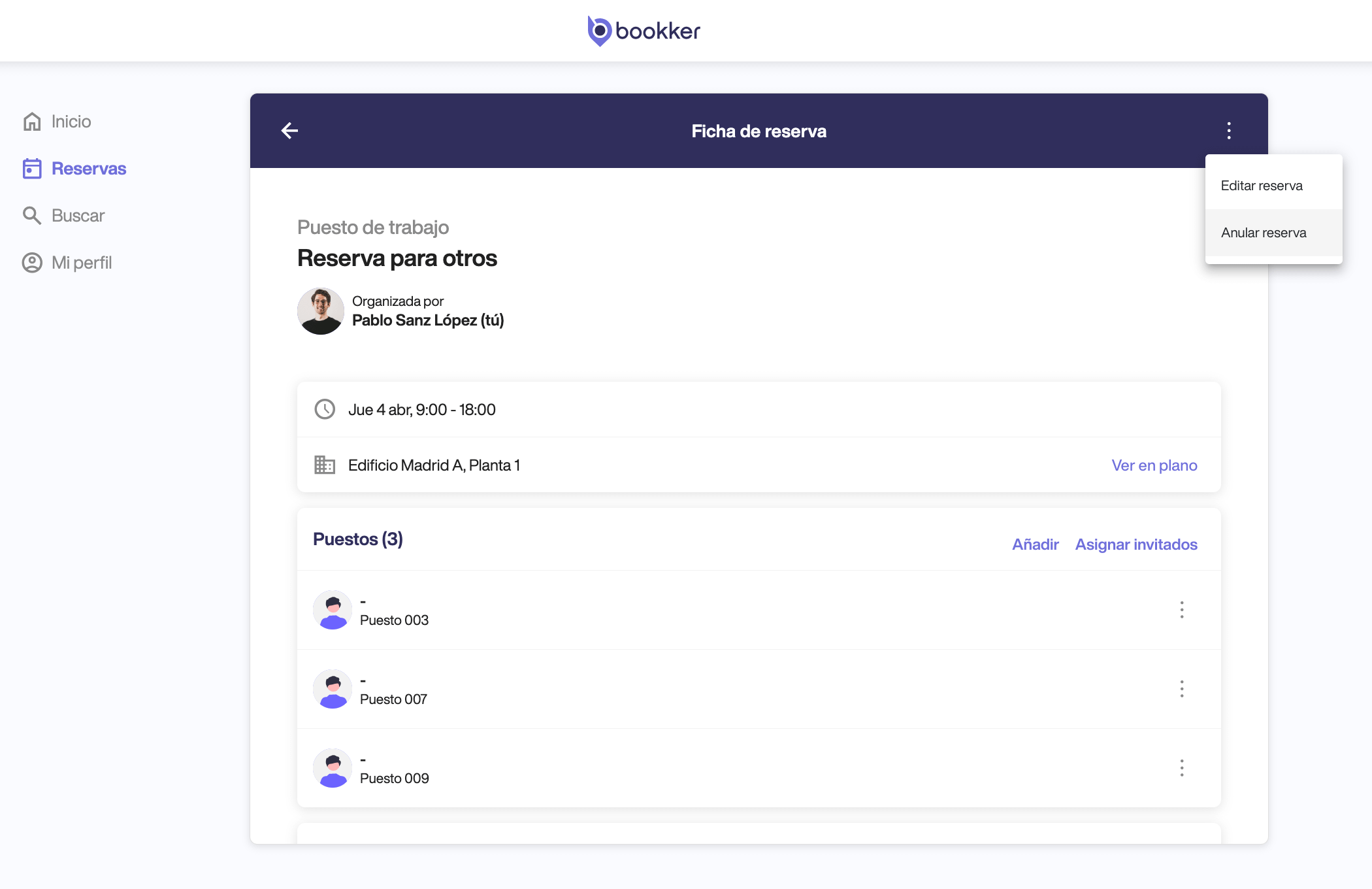
Cancel a reservation for others.
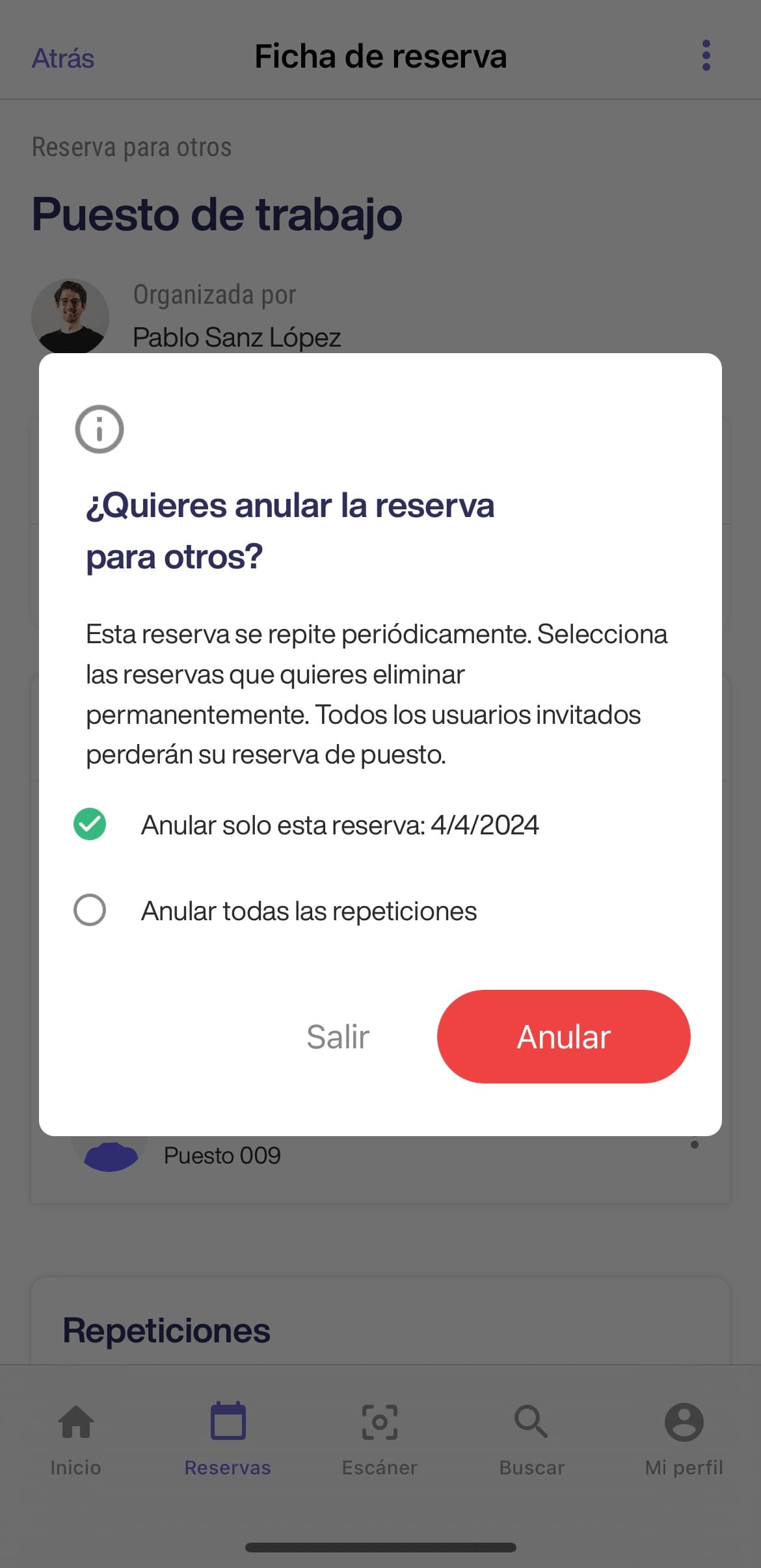
- From the reservation form click on the three dots in the upper right corner and then click on “Cancel reservation”.
- To complete the cancellation of the reservation, click on the “Cancel” button.
🚨 If there are repeats in the booking, you can cancel only the selected date or cancel all repeats.
ℹ️ Guest bookings that are active, expired or terminatedexpired or terminatedcannot be cancelled.
How to cancel the reservation of a guest in a reservation for others.
- From the reservation form, locate the reservation of the guest you wish to cancel, display the options from the 3 dots icon and click on “Cancel reservation”.
- To complete the cancellation of the reservation, click on the “Cancel” button.
👤 If this guest’s reservation has started, it cannot be cancelled.
In this article
How to cancel a guest’s reservation in a reservation for others
Have you found your answers?
Thank you for your feedback! We are happy to help you.
Thank you for your feedback! Your feedback helps us to improve our articles.
Need more help? Contact us!