
Reserve available dates between the selected days from the app (without full lot).
⚠️ Reservation without full lot is only available for space reservations.
When making a space reservation from the app and selecting multiple repetitions for that reservation, it is very likely that there is no resource with availability for all the selected days.
If this happens, the “Book without full lot” functionality allows you to check the availability of each space on the selected days, on the selected time.
De este modo, podrás revisar las alternativas disponibles y decidir que espacio te conviene más para reservar las fechas disponibles del mismo.
Once the reservation is completed, you will only have to look for another resource for the dates you have left pending as there is no availability for all of them.
How to reserve the available days among all the selected repeats (app).
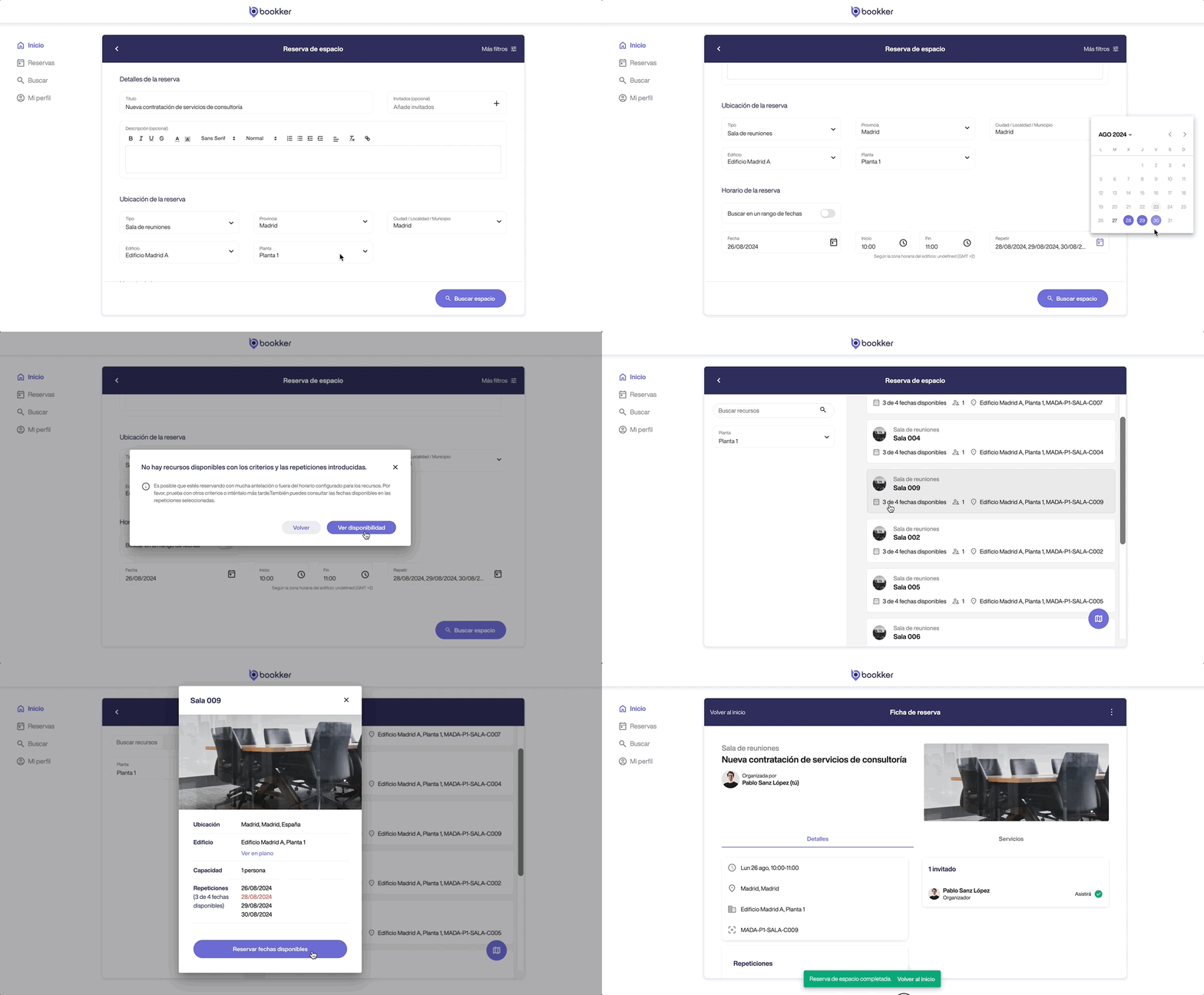
- Access the “Space Reservation” form from the Home screen.
- Fill in the fields required including the desired number of repetitions .
Click on “Search for spaces”. - As there are no resources available with these criteria and repetitions, the following dialog will offer you to consult the available dates by clicking on “See availability”.
- From the floor plan or list you will be able to check the actual availability (example: 4 of 5 available dates) of each space and its details.
- Select the space that suits you best and click on “Book available dates”.

In this article
How to reserve the available days among all the selected repetitions in a space reservation (app).
Have you found your answers?
Thank you for your feedback! We are happy to help you.
Thank you for your feedback! Your feedback helps us to improve our articles.