
Last updated: 23/08/2024
How to make a desk reservation from the app.
The desk reservation allows you to secure in advance a workstation foryourself.
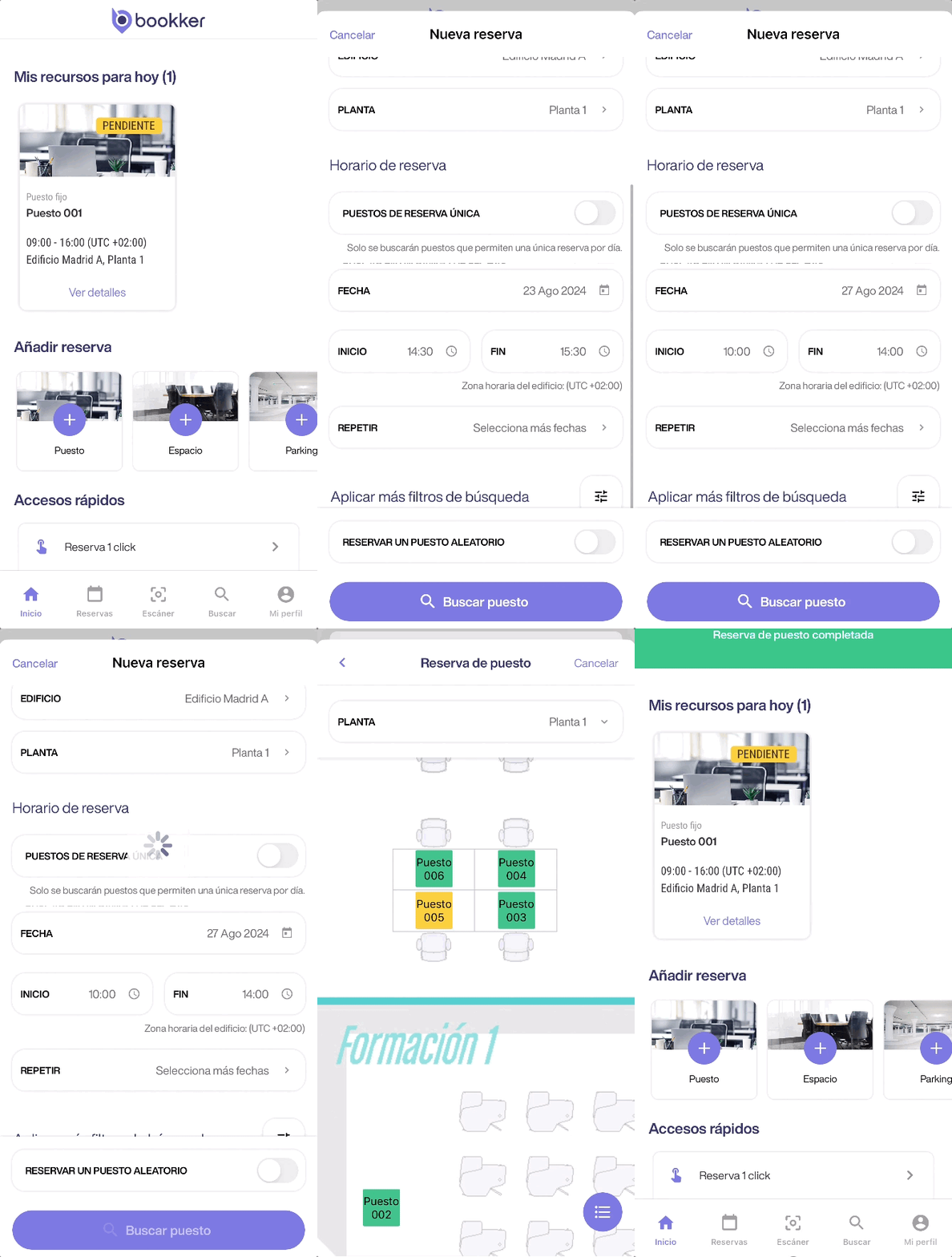
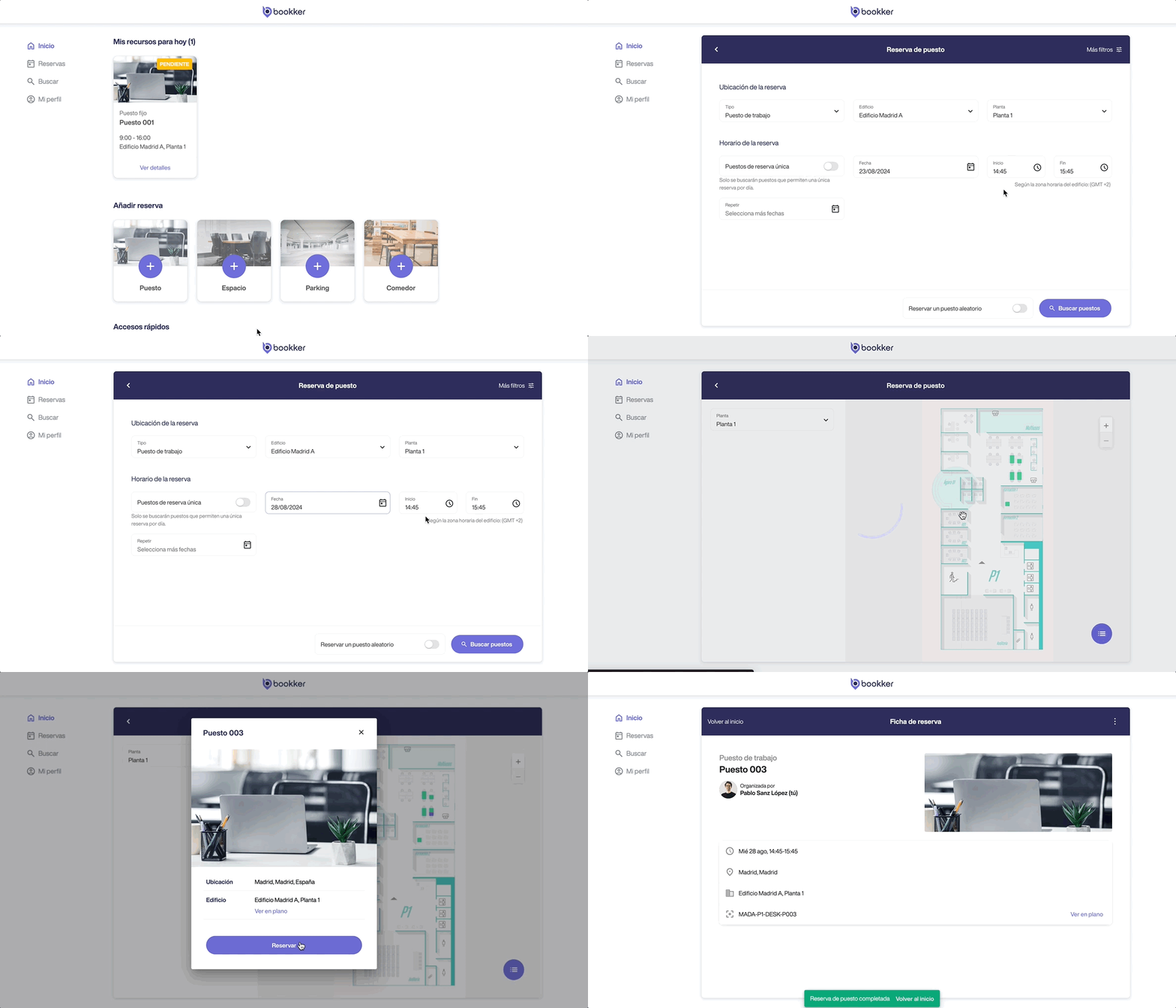
Make a desk reservation on any available resource.
- Access the“Desk Reservation” form from the Home screen.
- Fill in the fields necessary from the reservation details, location and schedule sections.
Click on “Search for positions”. - In the next view, select the place you want to reserve.
You can do it manually from the map or resource list. - Finally, click on “Reserve”.
🚀 To speed up the process, you can check the “Reserve a random seat” option on the form to automatically to make an automatic reservation with the selected parameters.
⚙️ Also, if you have configured your preferences in your profile, the form will already be filled out according to these preferences.
See how to customize them in this article.
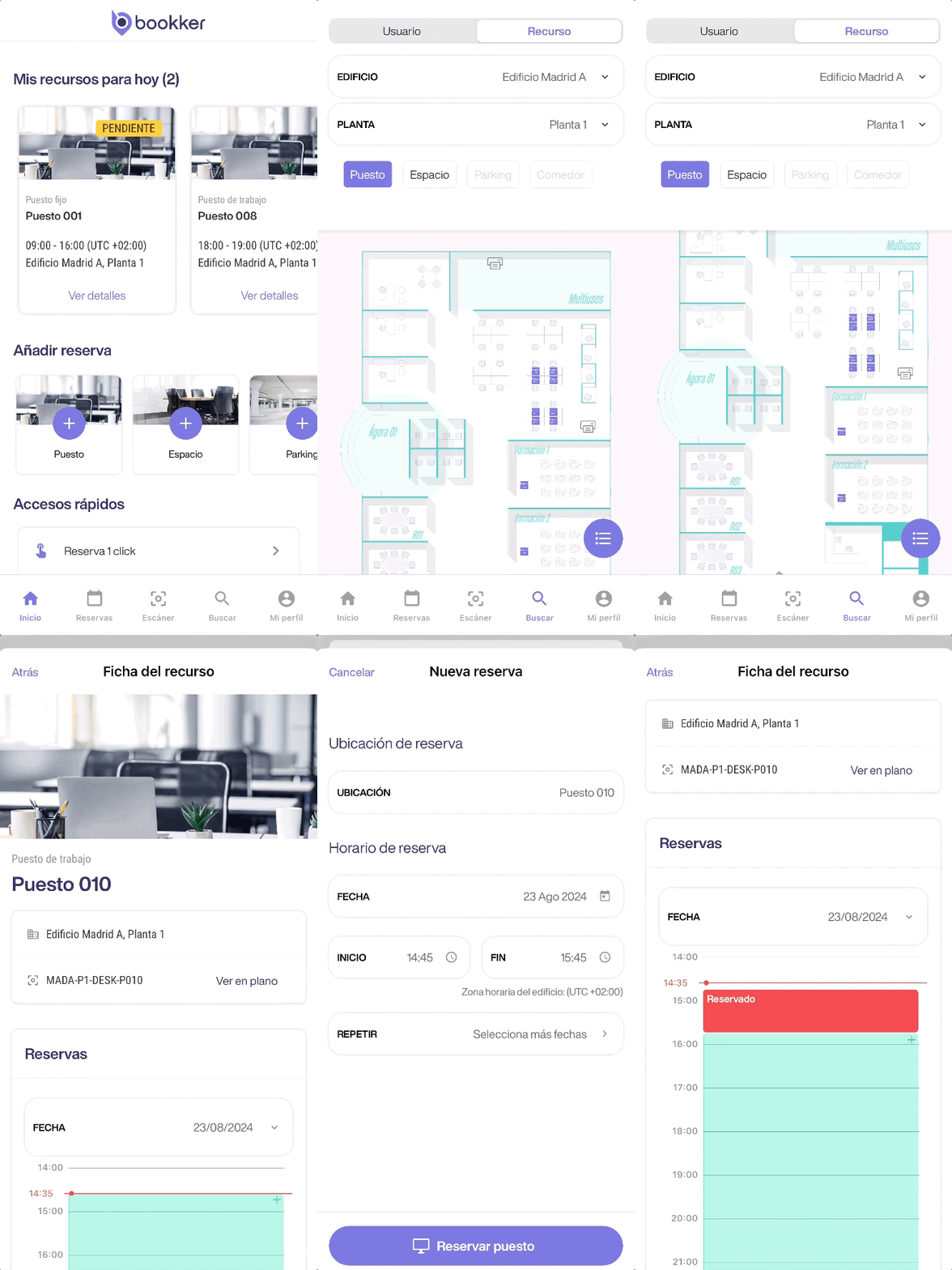
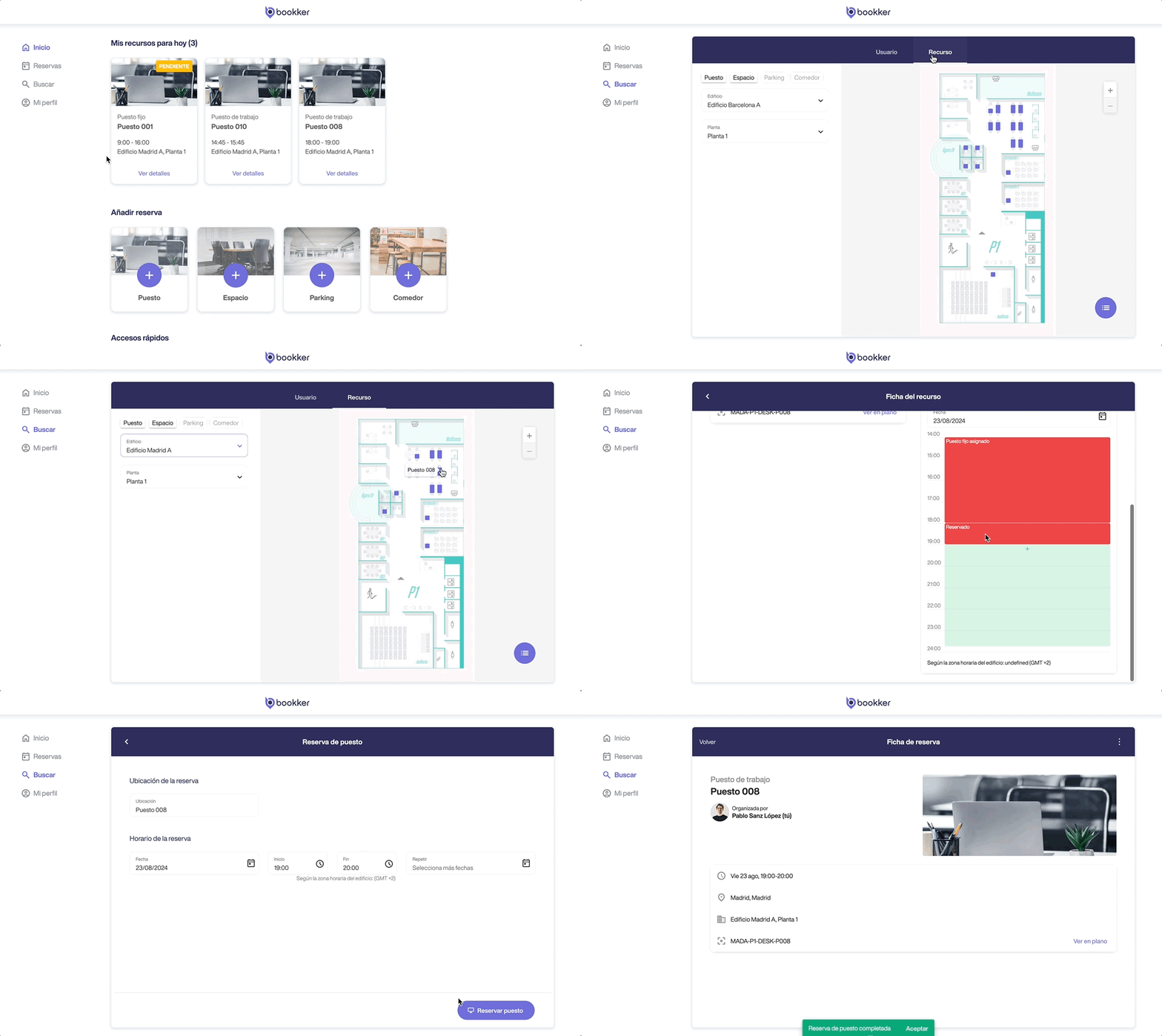
Make a desk reservation in a specific resource.
- Access the Search section from the app menu and navigate to the Resources tab.
- Select the location and type of resource you want to consult.
- Locate and access the resource file. From here click on an available time slot in the calendar to make a reservation.
- Fill in the form fields with the required data and click on “Reserve a position”.
In this article
Make a desk reservation on any available resource.
Make a desk reservation in a specific resource.
Have you found your answers?
Thank you for your feedback! We are happy to help you.
Thank you for your feedback! Your feedback helps us to improve our articles.
Need more help? Contact us!