
Last updated: 22/08/2024
How to edit my work status.
- Access My Profile > My Work Status from the app user profile.
- From the calendar you can view all your work status. Click on the desired date to display its details.
- Click on “Add status” to customize or modify your work status for the selected date or period.
- Click on “Save”.
🚨 Work statuses can condition your bookings. Your organization may not allow you to create reservations with some statuses (e.g. teleworking).
There are work statuses predefined by your organization.
If a user adds a work status, it will be prioritized over the predefined statuses.
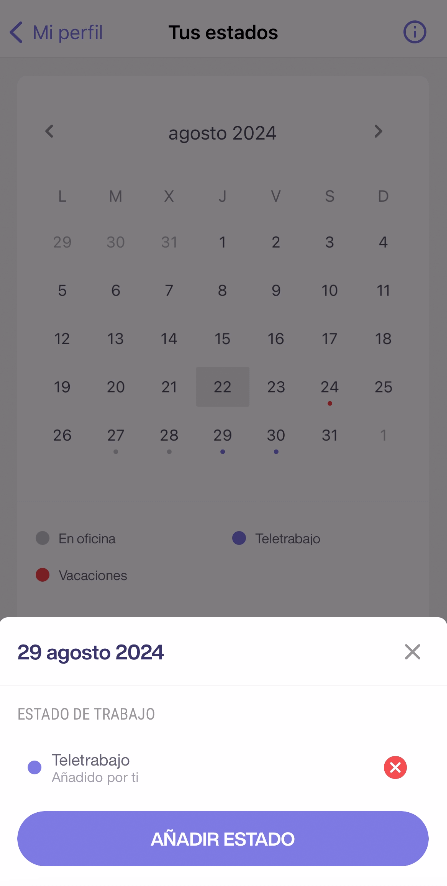
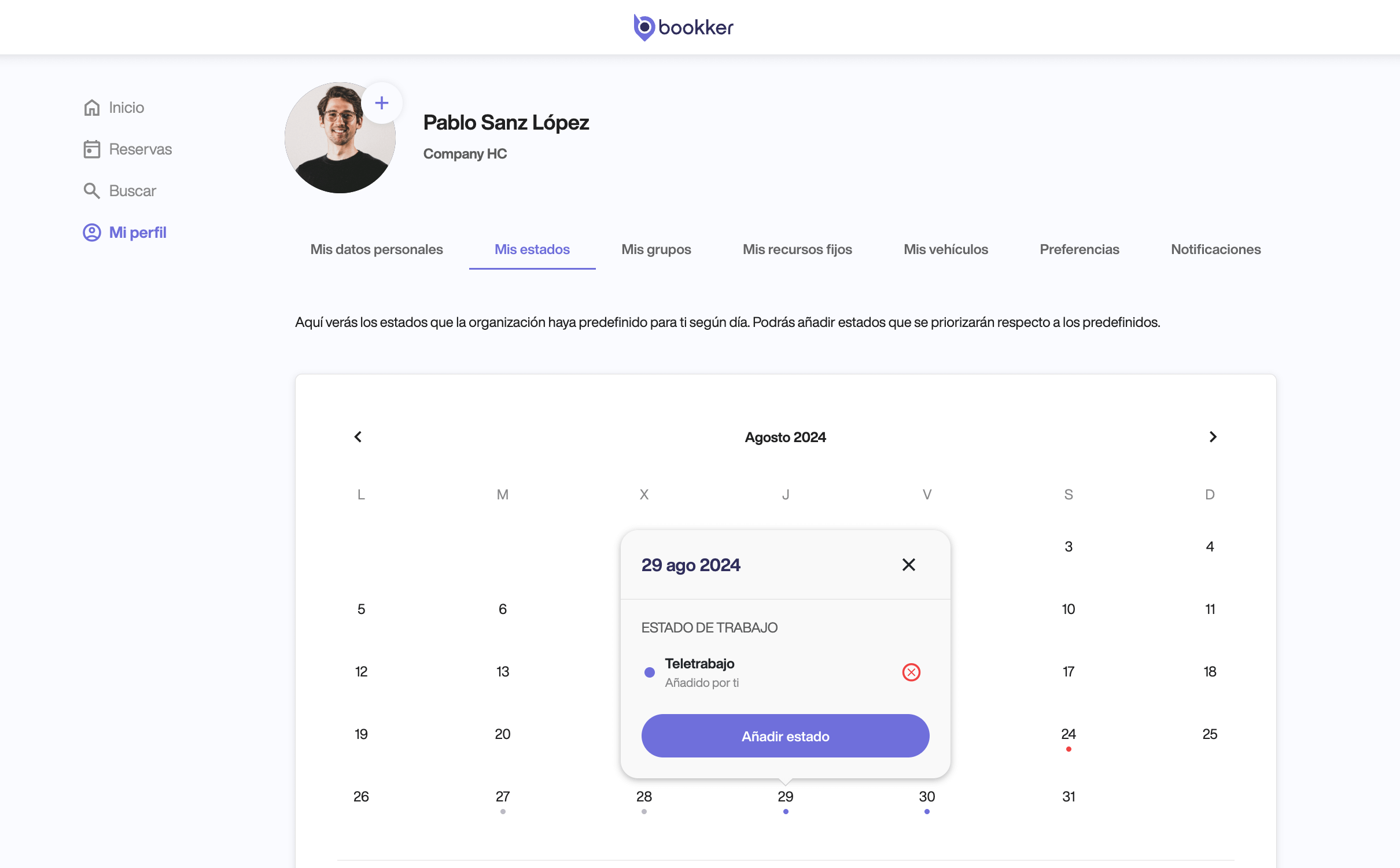
🗑️ You can also cancel or delete your work status from here.
Deleting it will reset it to the work status predefined by your organization.
In this article
Register an incident
Have you found your answers?
Thank you for your feedback! We are happy to help you.
Thank you for your feedback! Your feedback helps us to improve our articles.
Need more help? Contact us!