
Request additional services in a space reservation from the app.
☕️ To add additional services to a space reservation, it is essential that your organization has enabled the “Additional Services Integration” module.
At the end of a space reservation, a dialog will suggest you to request additional services.
You can continue to add them now or add them at a later time if you prefer.
You can always add services later from the reservation form.
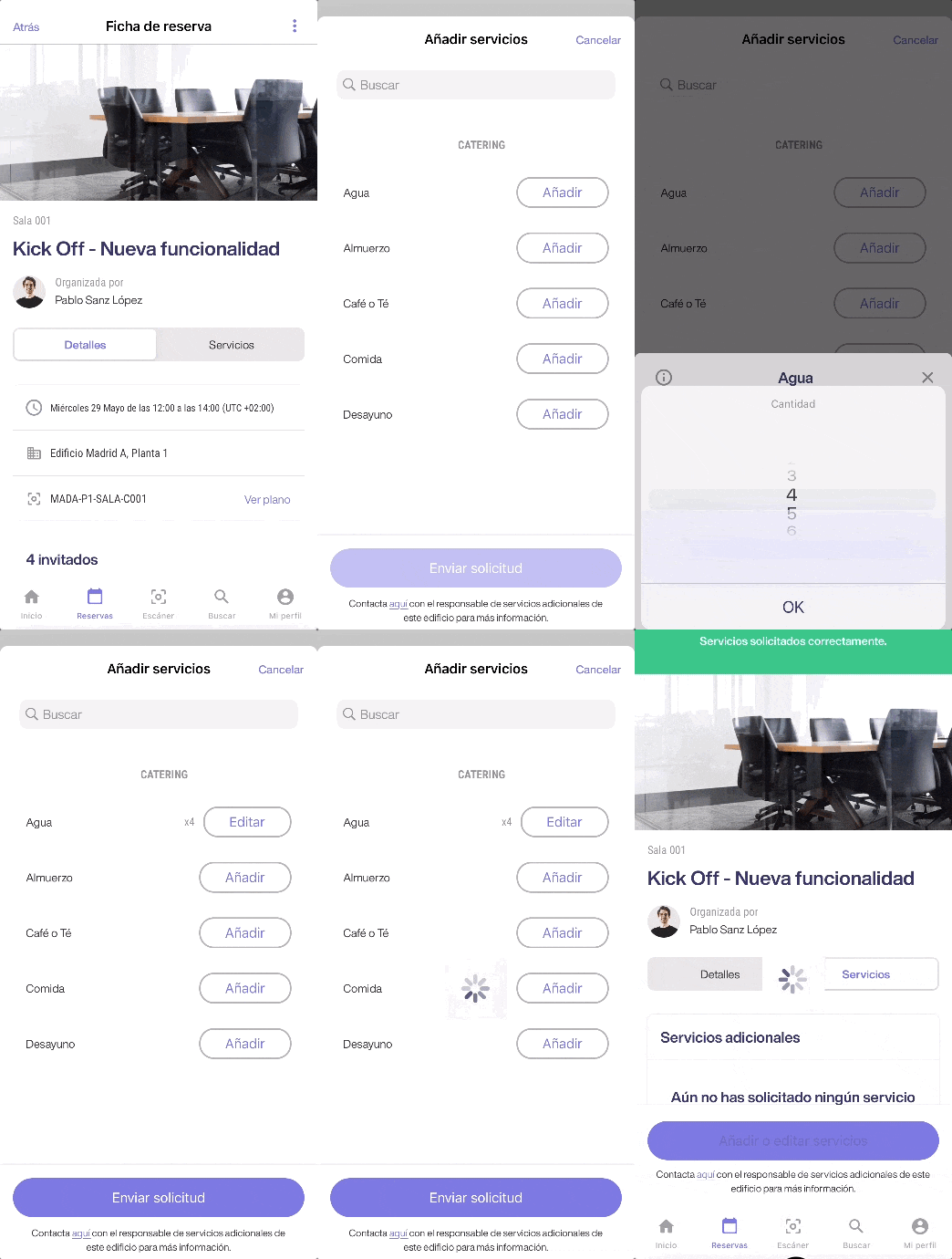
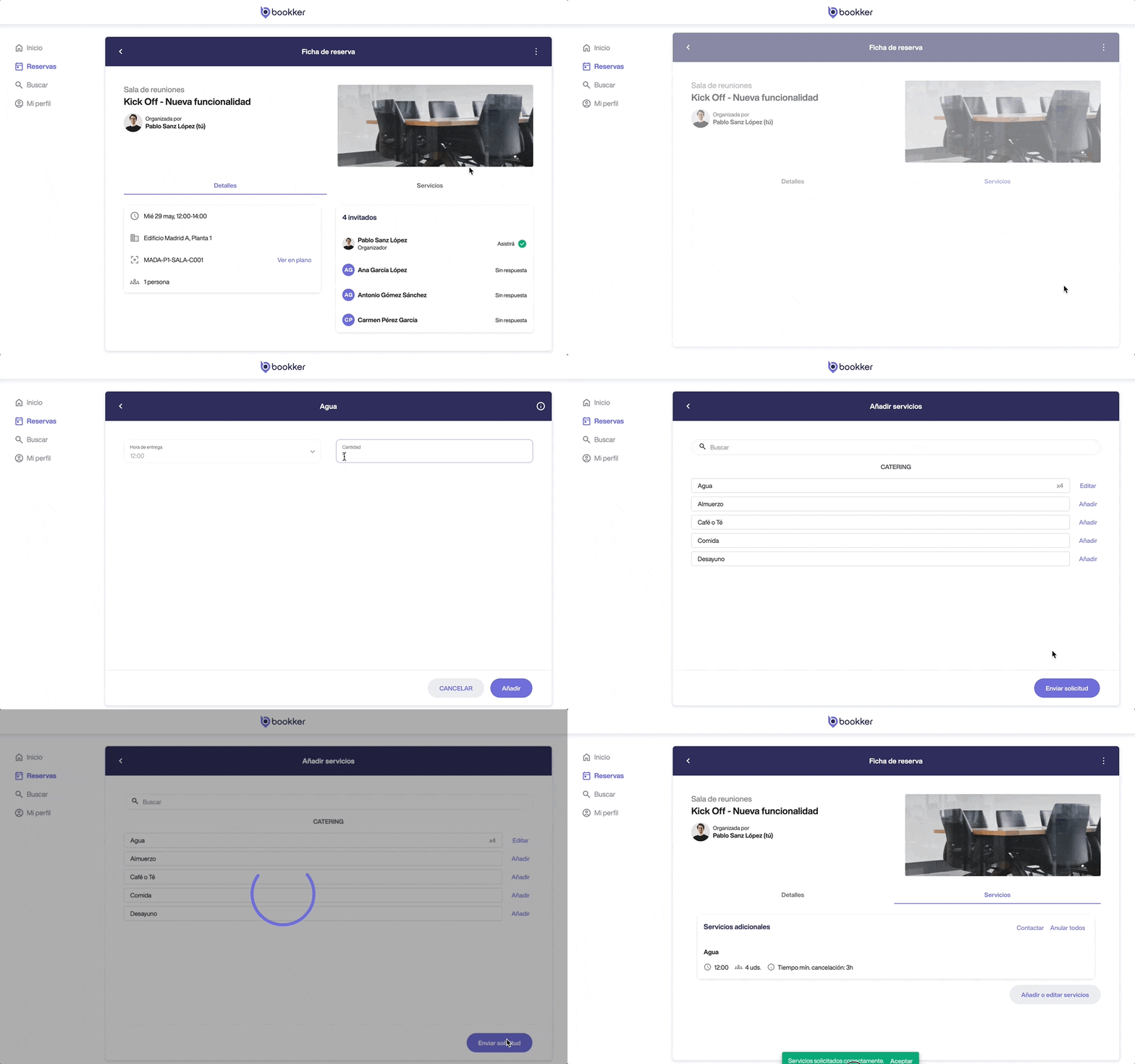
Add additional services to my reservation.
- From the booking form, go to the “Services” tab and click on “Add or edit services”.
- From the list of available services, add and configure the services that you want to request.
- Finally, review the services you are going to request and click on the following button “Send request”. You will receive a notification with the summary of services requested.
⏳ The “Application Period Expired” notice indicates that there is insufficient time to prepare such service, so it cannot be included in the application.
Edit additional services already added to my reservation.
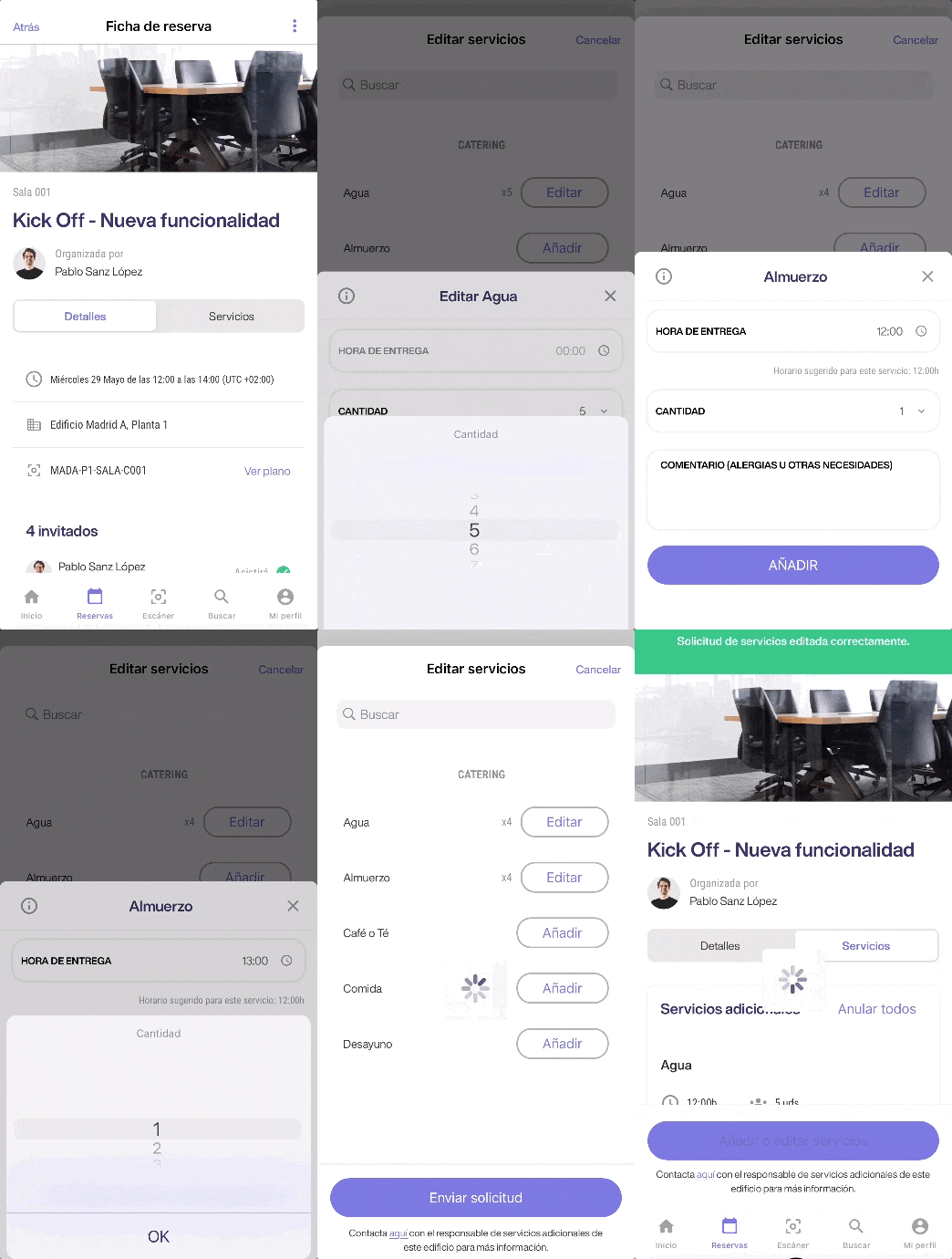
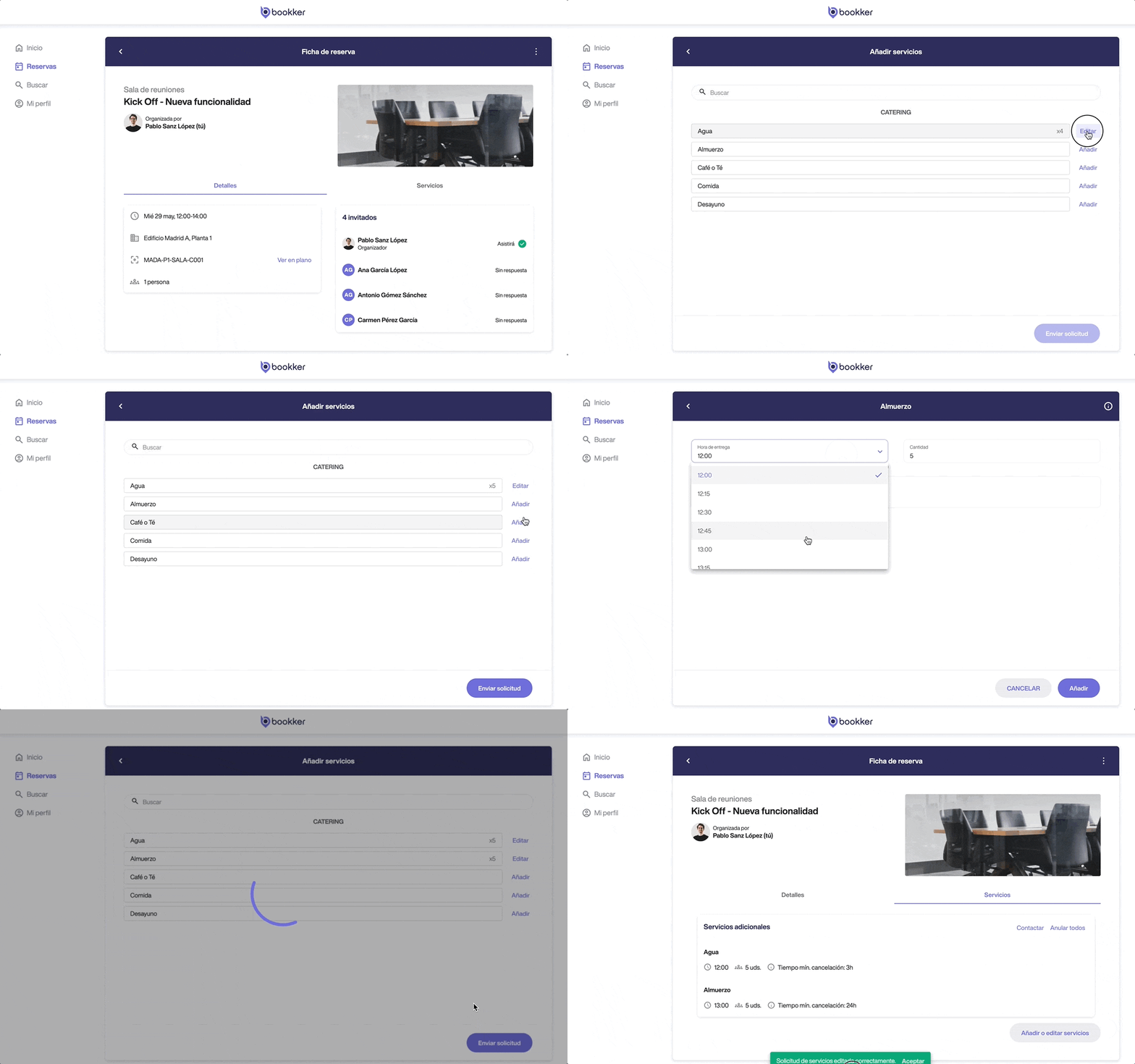
- From the booking form, go to the “Services” tab and click on “Add or edit services”.
- From the list of services, you can add new services to the request or edit the services already requested.
- Click on “Edit” and modify the fields you need for each service.
Click on “Save” to confirm the edition. - Finally, review the changes and click on the following button “Send request”.. You will receive a notification with a summary of the new service request.
⏳ The “Application Period Expired” notice indicates that there is not enough time to modify such service, so this will not be editable in the application.
📞 If for some reason it is essential to make this modification, please use the contact details available to contact the person responsible for services in your organization.
Cancel additional services already added to my reservation.
- From the booking form, go to the “Services” tab and click on “Add or edit services”.
- From the list of services, you will be able to cancel services already requested.
To do this Click on “Edit” next to the service you want to cancel and then on “Delete”. - Finally, review the changes and click on the following button “Send request”.. You will receive a notification with a summary of the new service request.
⏳ If the “minimum cancellation time” for a service has expired, the service cannot be cancelled.
📞 If for any reason it is essential to make this cancellation, please use the contact details available to contact the person responsible for services in your organization.
In this article
Add additional services to my reservation
Edit additional services already added to my booking
Cancel additional services already added to my reservation.
Have you found your answers?
Thank you for your feedback! We are happy to help you.
Thank you for your feedback! Your feedback helps us to improve our articles.